Skip to content

Simplified Personal Finance

For Her & His

Menu
  • Home
  • Fixed Income
    • FD Vs Debt Mutual Fund
    • Higher Pension from EPS
  • Mutual Fund
    • KYC – Online
    • Mutual Fund Ideas
    • Online Customer Services
    • Capital Gains Statement
    • Transfer of Mutual Fund to Relative
    • NPS – National Pension Plan
      • NPS – Online Open Account
      • NPS – Online Contribution
  • Insurance
  • Stock
    • Out-Performance/Over-Valuation
    • Equity/Stock Ideas
  • Commodity
    • Gold and Silver
  • Tax
    • Income Tax
      • Tax Return
        • Income Tax Payment
        • e-Verify Tax Return
        • EVC – Generate Using NetBanking
        • E-Verify Using HDFC Bank NetBanking
        • “Form 67” Submission
      • Budget FY 2023-24
      • Income Tax Savings
      • TDS/TCS Online Payment
      • HUF – Tax Efficient
      • EPF – Tax Confusion
      • Link PAN & Aadhaar
  • Global
    • Chinese Mutual Fund
  • Miscell
  • Contact
  • Search
  • LOGIN
Menu

TDS Payment By Tenant on Rent – NRI Landlord

NOTE – To deduct and pay TDS on rent payable to an NRI Landlord, tenant should get TAN ( Tax Deduction and Collection Account Number ) issued from Income Tax Department.

  • TAN of tenant is mandatory
  • Register TAN on Income Tax Portal

Online Steps to Pay TDS on Rent

  • STEP 1 – TAN Login Login to Income Tax Portal with Tenant’s PAN – https://eportal.incometax.gov.in/iec/foservices/#/login

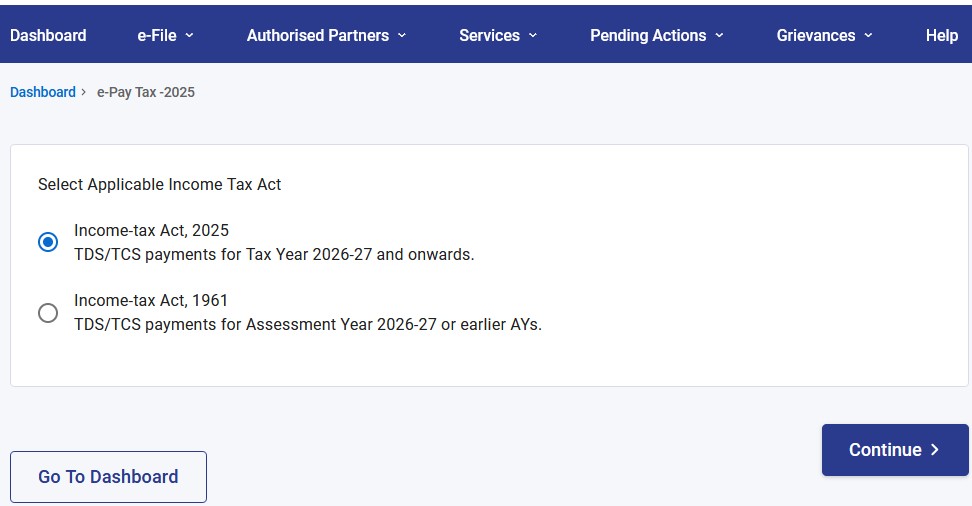
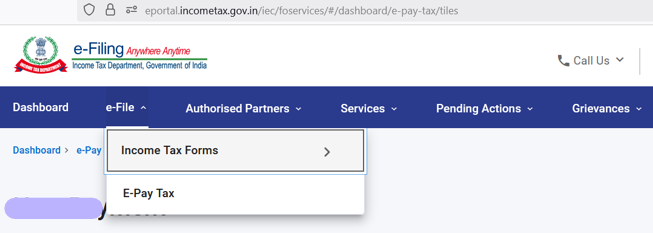
  • STEP 2 – Go to header menu of “e-File“, and click on “E-Pay Tax” from drop down menu
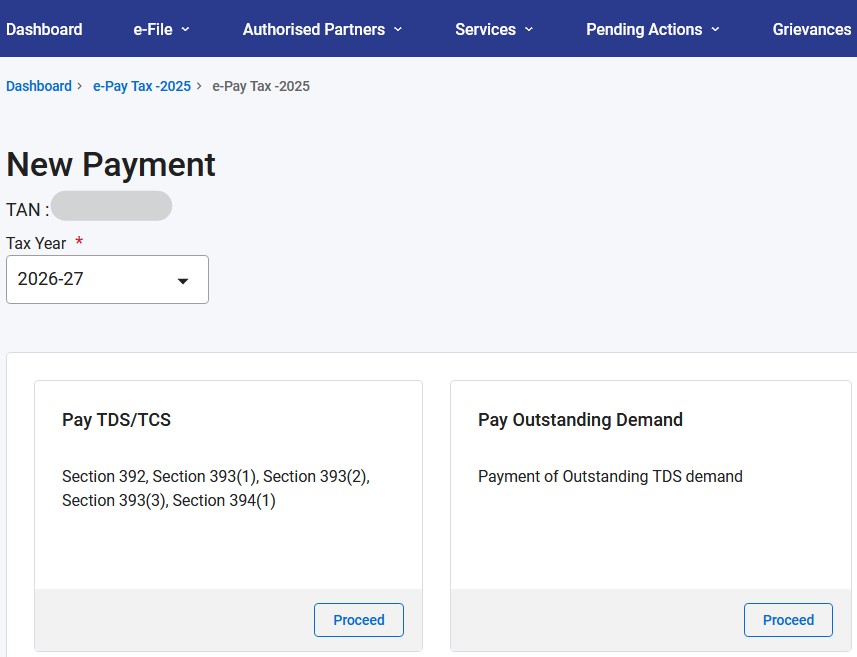
  • STEP 3 – Click on “New Payment” on Right Hand Side of the screen

  • STEP 4 – Select “Assessment Year”, Double Check data of “Assessment Year” and Corresponding “Financial Year”. Click on “Proceed” of section “Pay TDS/TCS“
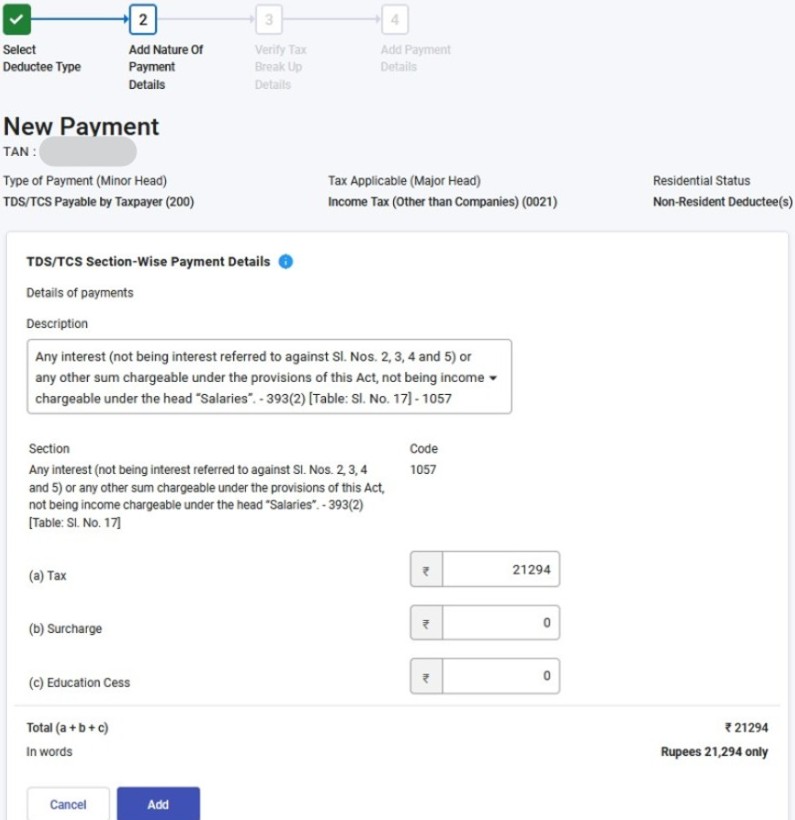
  • STEP 5 – Search of Description “Other sums” and Section “195”. Select it.
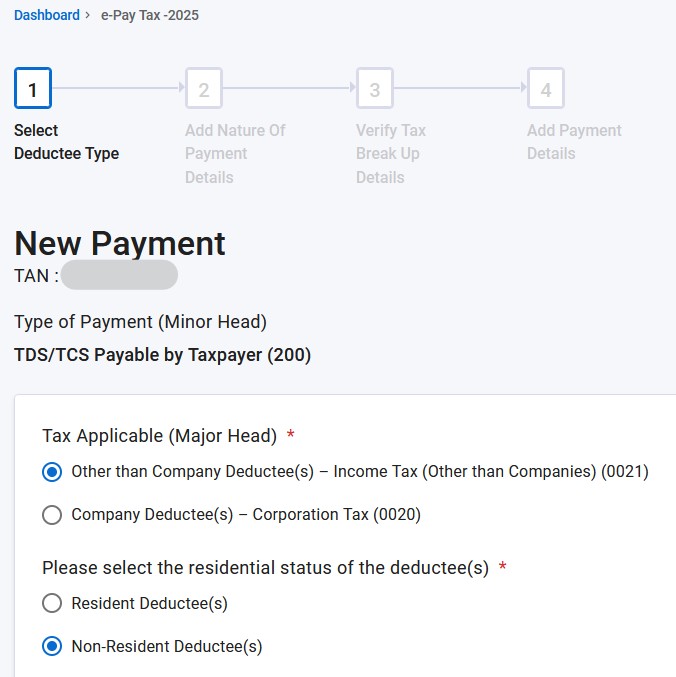
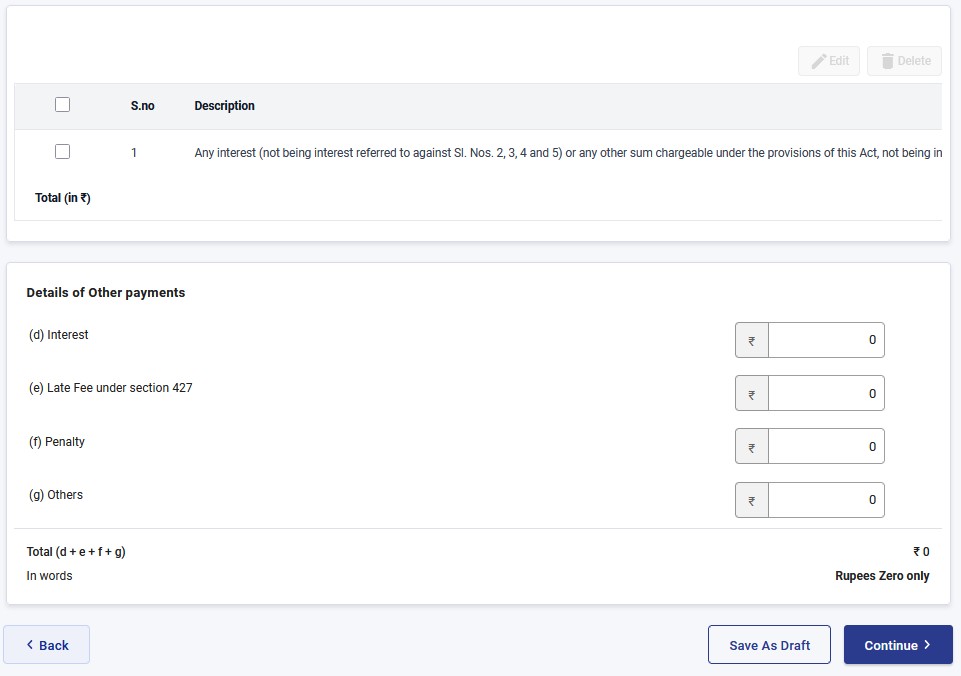
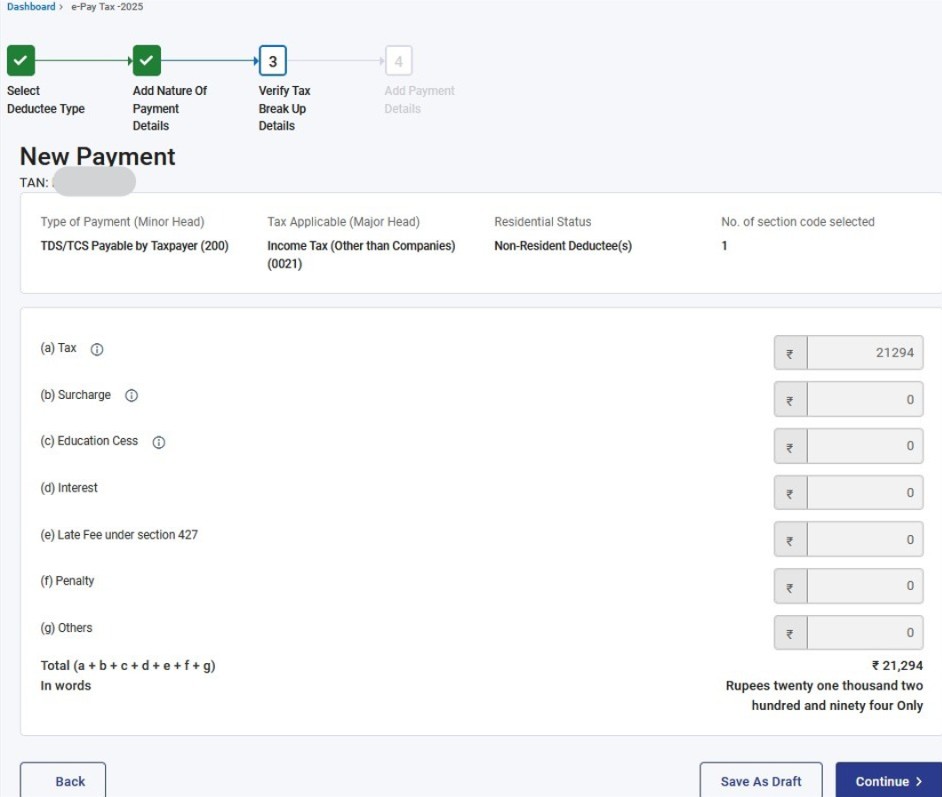
  • STEP 6 – Select option “Other than Company Deductee – Income Tax (Other than Companies) (0021)“. Enter TDS amount @ 31.2% of rent amount in the “(a) Tax” field. Click Continue
  • STEP 7 – Select Bank. In case canNOT find bank, then select “Other Bank“. Click Continue
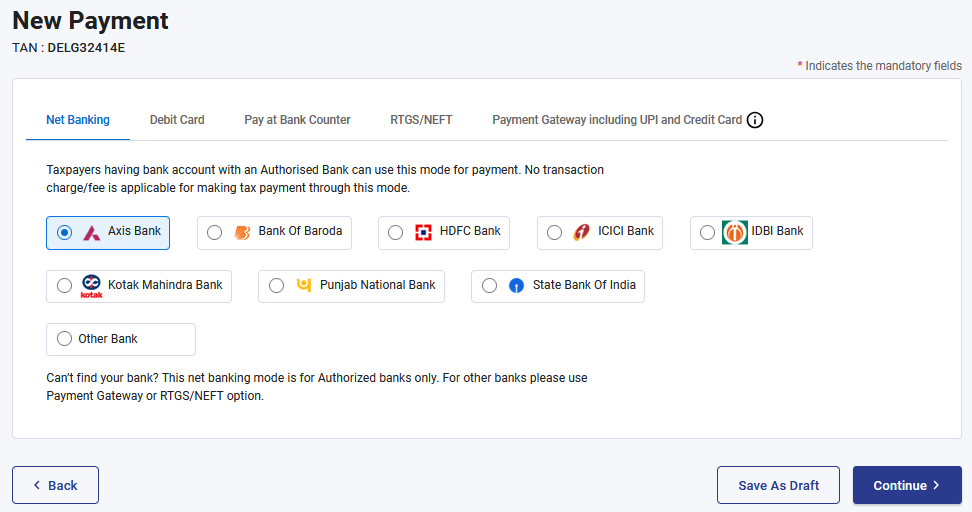
  • STEP 8 – Follow rest of the screens till payment is completely successfully

  • STEP 9 – On successful payment, download tax payment receipt or challan

  • STEP 10 – Around 7 days after the TDS payment, this TDS data in reflected in tenant’s “AIS” and “Form 26AS” statements

Recent Posts

  • Mutual Fund Investments in Jan-2024
  • Government Revenue & Expenses 2024-25
  • E-Commerce Growth in India
  • Mutual Fund Assets Growth
  • Mutual Fund Trends 2023 Vs 2022
  • Equity Market Weekly Wrap – 12th Jan 2024
  • 2024 Global Investment and Economic Themes
  • 7.3% real GDP growth NSO estimates FY2024
  • Equity Market Weekly Wrap – 5th Jan 2024
  • Equity Market Weekly Wrap – 29th Dec 2023

Categories

  • Equity/Stock (12)
    • Economy (4)
    • Equity Ideas (4)
  • Gold/Commodities (1)
    • Gold and Silver (1)
  • Mutual Fund (8)
    • Equity Mutual Fund (6)
      • Global Mutual Fund (1)
      • Sectoral/Thematic Mutual Fund (1)
    • NPS (1)

Archives

  • February 2024
  • January 2024
  • December 2023
  • January 2023
  • December 2022
© 2026 Simplified Personal Finance | Powered by Superbs Personal Blog theme