Step 1
Login to the Income Tax Portal Account https://eportal.incometax.gov.in/iec/foservices/#/login
Step 2
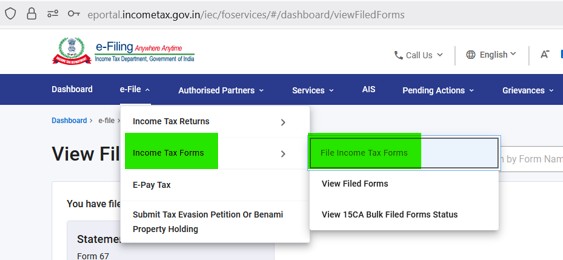
Click on “e-File” –> “Income Tax Forms” –> “File Income Tax Forms” as shared below
Step 3
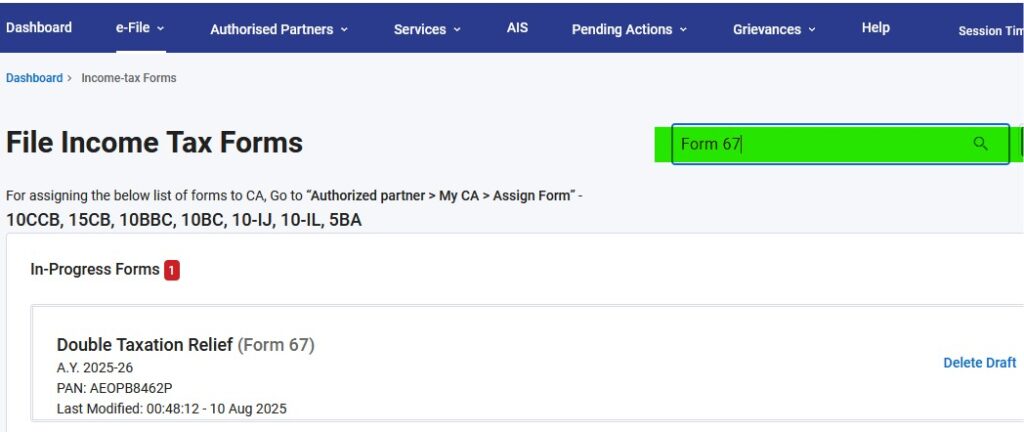
Search for “Form 67“, as shared below
Step 4
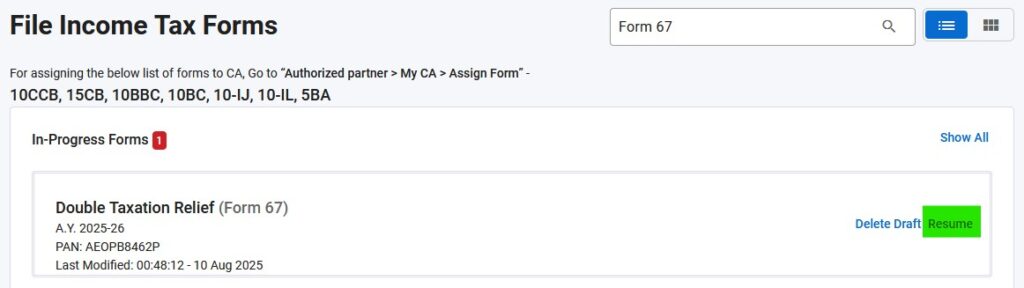
Click on “Resume” at right hand side for “Double Taxation Relief ( Form 67 ), and FOLLOW REST OF THE SCREENS
Step 5
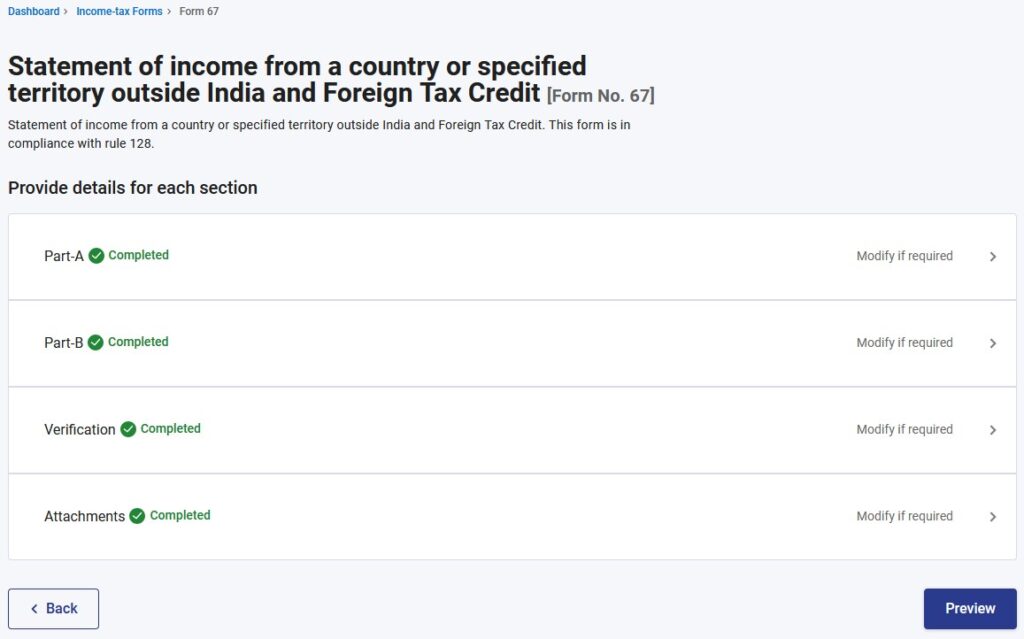
Click on “Preview” to review all the data, and follow rest of the screens
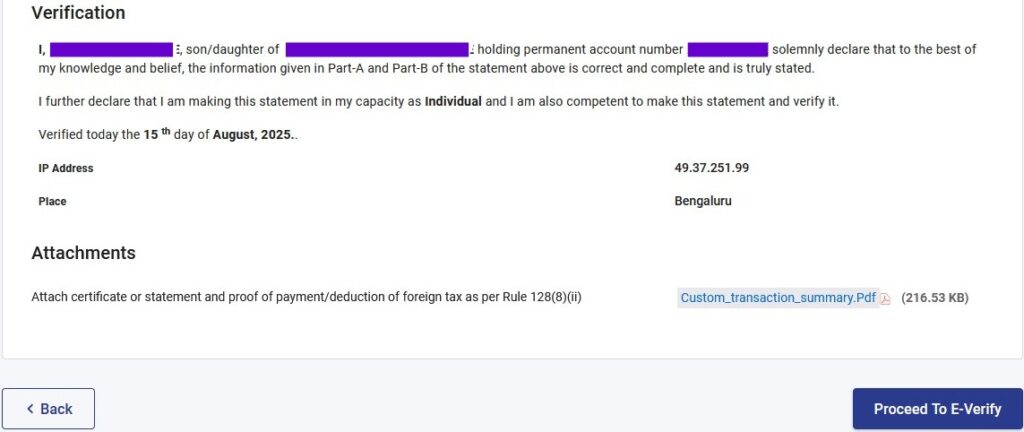
Step 6
Click on “Proceed to E-Verify“, and follow rest of the screens
Step 7
Save Acknowledgment document generated on submission of the form