Online Steps for E-Verification
- STEP 1 – Login to HDFC Bank Portal – https://netbanking.hdfcbank.com/netbanking/
- STEP 2 – Click on your Name Icon on the Top Right Hand Corner, and click on “Tax Services“. OR in the Search Box, type “Income Tax” to search for “Income Tax E-Filing“.
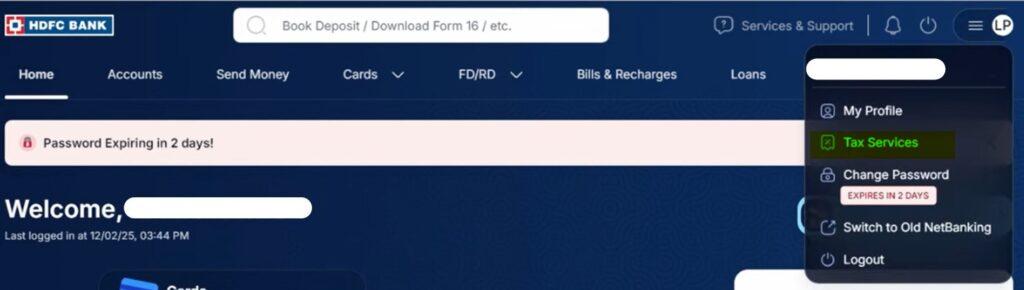
- STEP 3 – Open “Income Tax E-Filing” screen, Review all the data and click “Continue“. This will automatically login into the Income Tax Portal

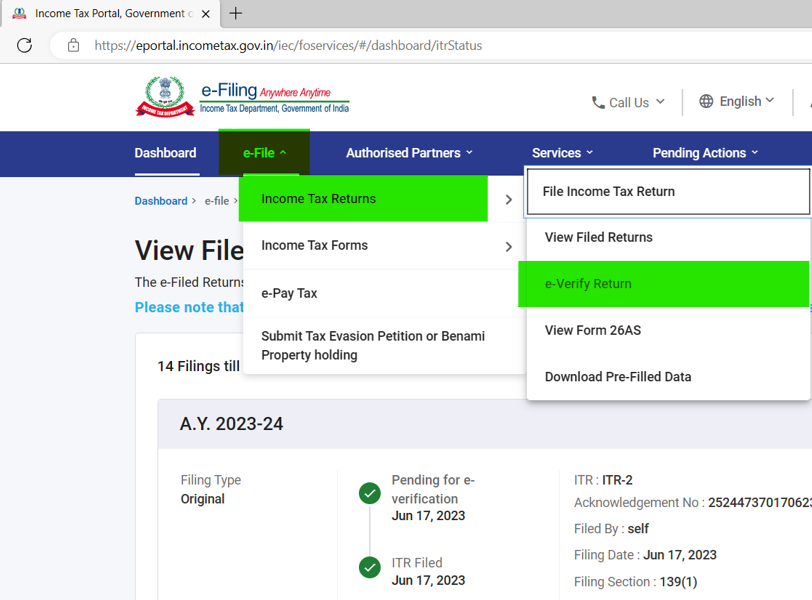
- STEP 4 – Take cursor on “e-File” –> “Income Tax Returns“, and click on “e-Verify Return“
- STEP 5 – Click on “e-Verify” button
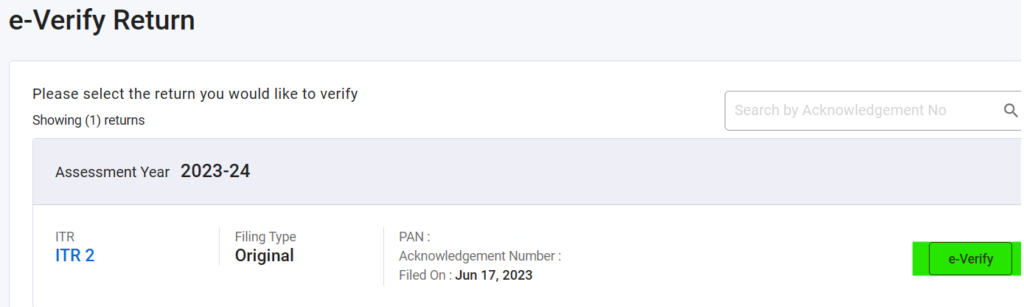
- STEP 6- Complete the E-Verification Process, Download the Tax Return Acknowledgement