Online Payment Steps
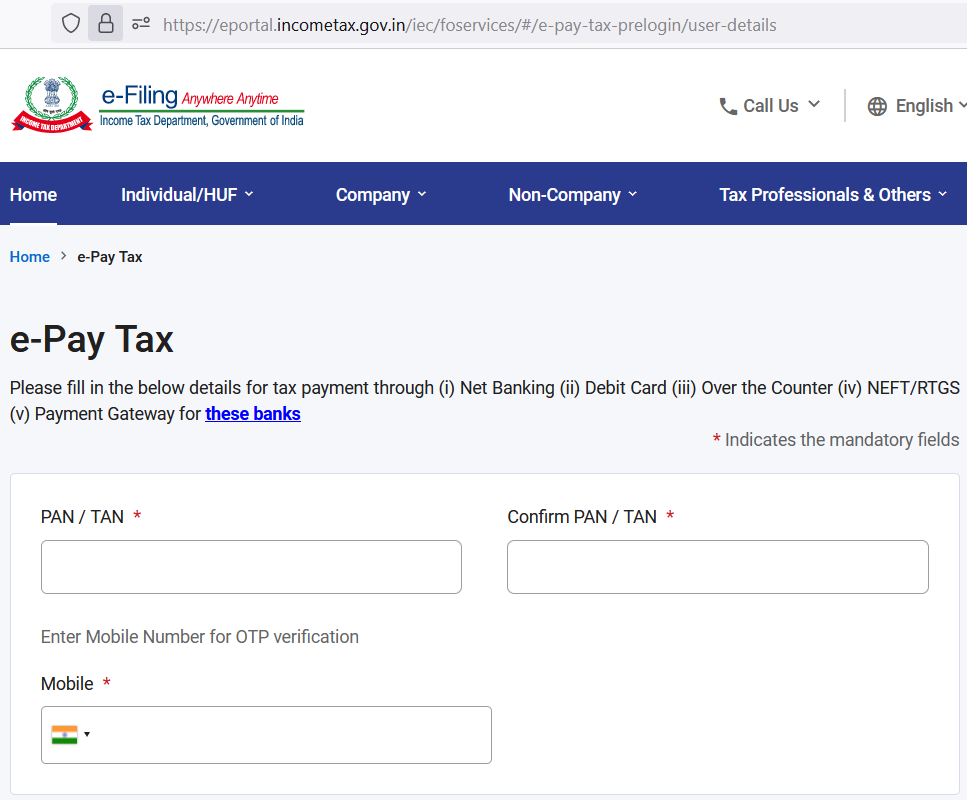
- STEP 1 – Click on this link to Visit Income Tax Payment Portal – https://eportal.incometax.gov.in/iec/foservices/#/e-pay-tax-prelogin/user-details
- STEP 2 – Enter PAN number and Mobile
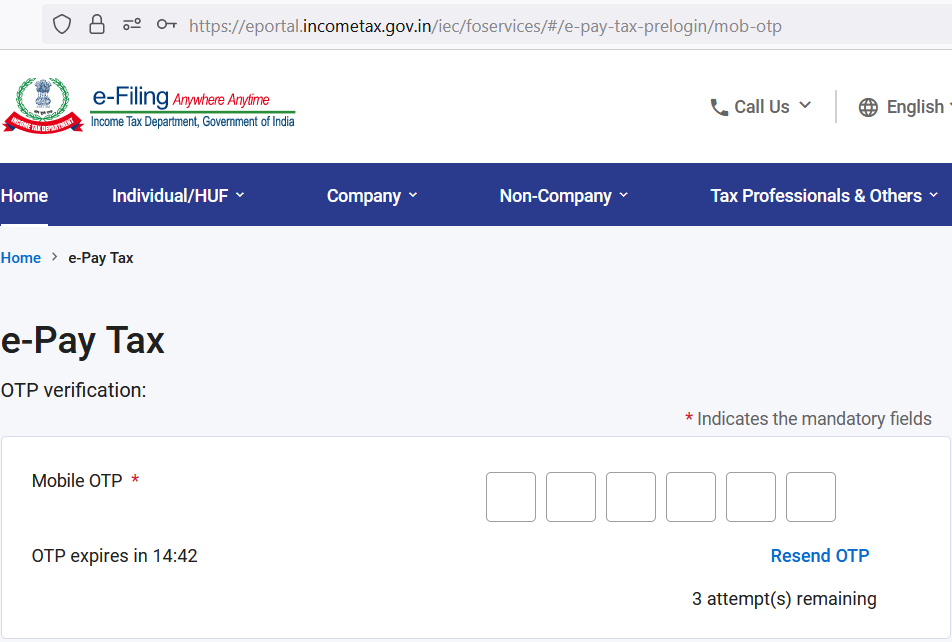
- STEP 3 – Enter OTP received in mobile
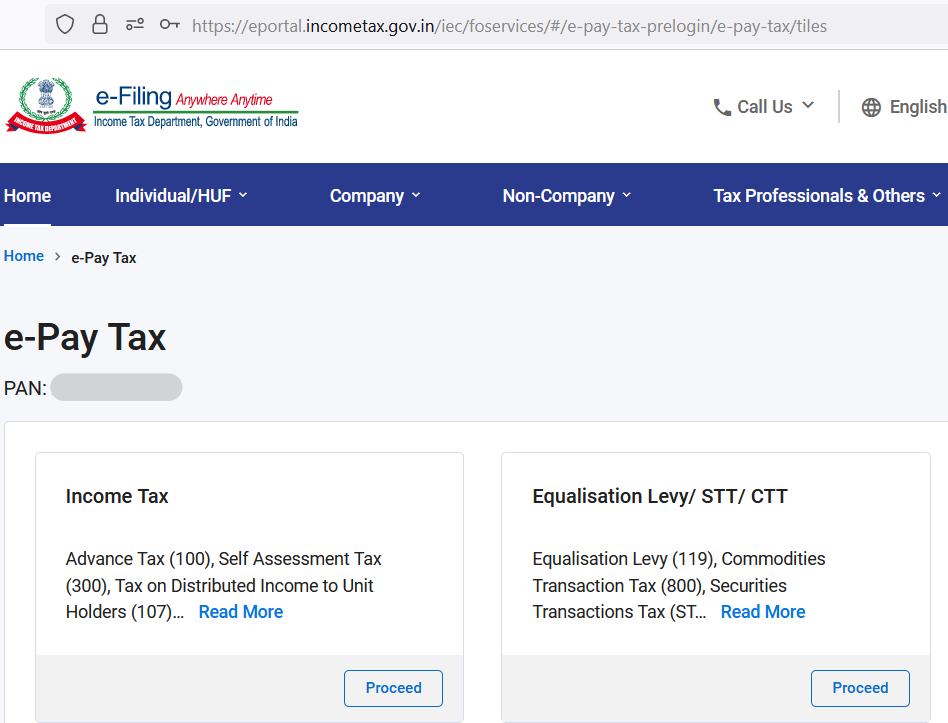
- STEP 4 – Proceed with the tab of “Income Tax“
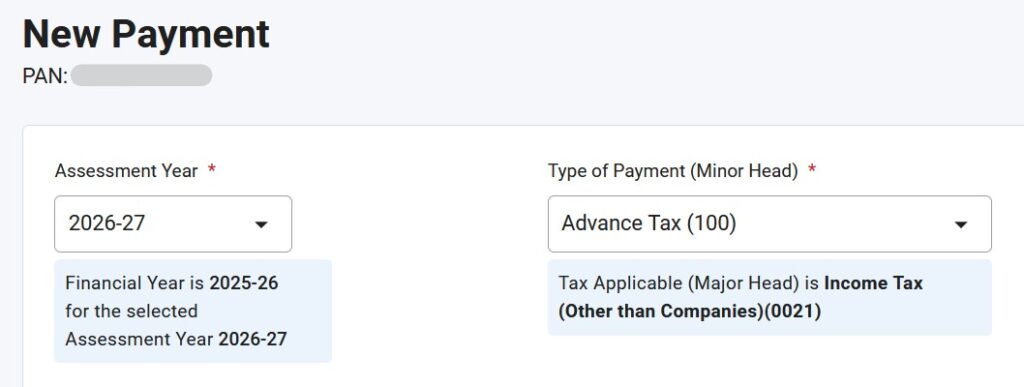
- STEP 5 – Select “Assessment Year” as “2026-27” and “Type of Payment (Minor Head)” as “Advance Tax (100)“. Double check Financial Year is 2025-26
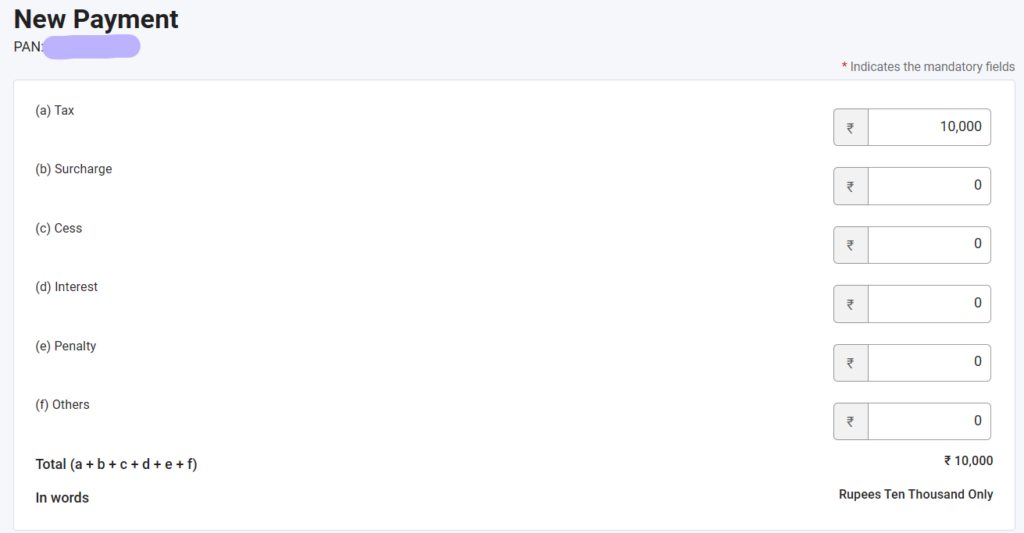
- STEP 6 – Enter Total Tax Amount in field “(a) Tax“
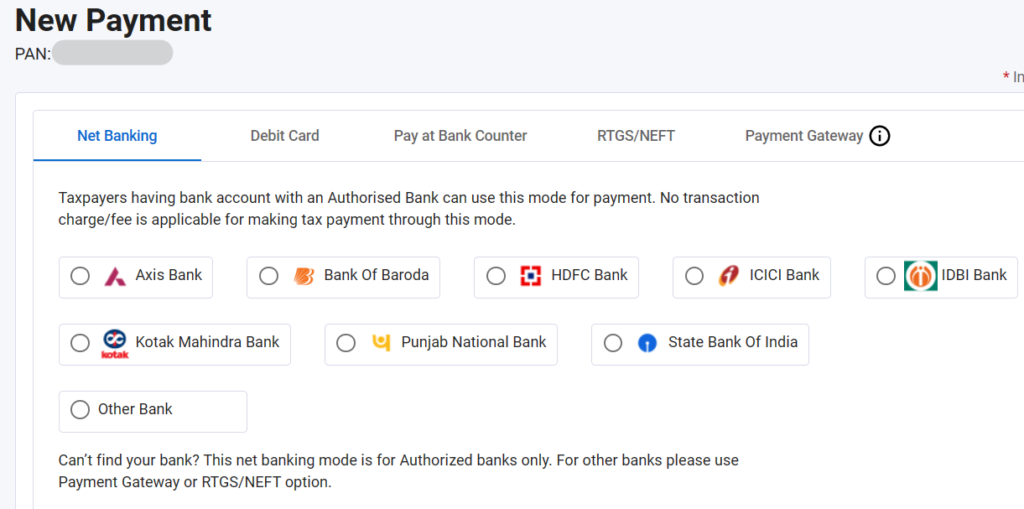
- STEP 7 – Select the Bank. In case, canNOT find bank then select “Other Bank“
- STEP 8 – Review all the data, as shared below
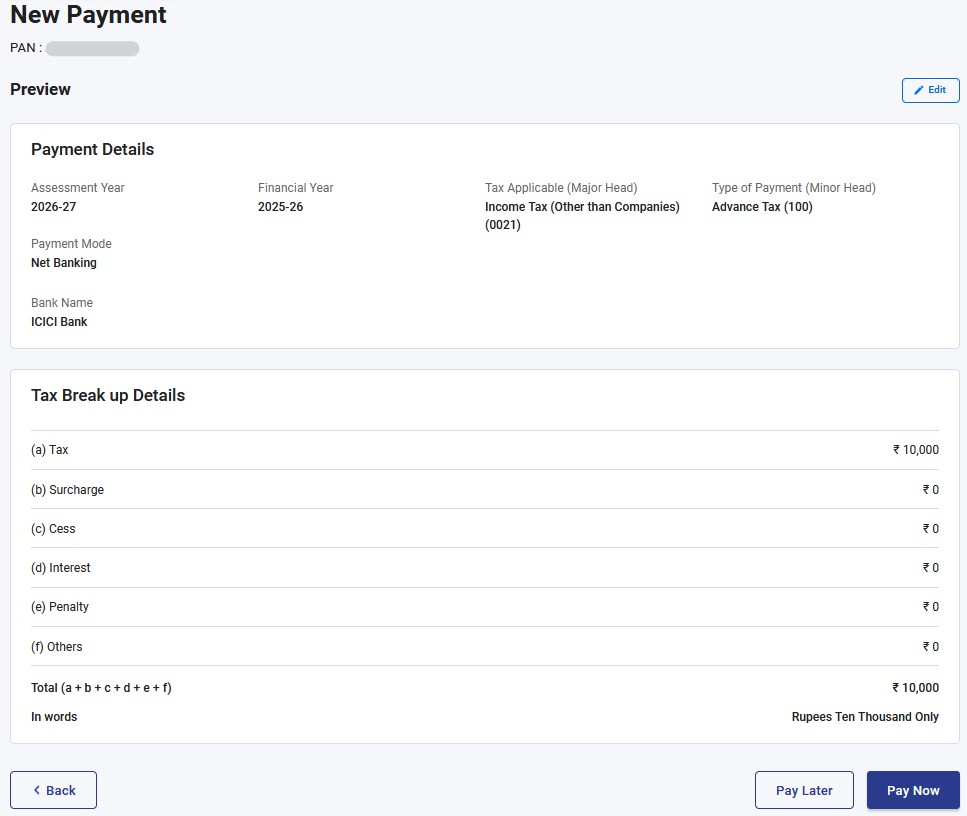
- STEP 9 – Click on “Pay Now“. On the Pop-Up Screen, at the bottom, tick “I agree to the terms and conditions” and “Submit to Bank”. Follow rest of the payment screens
- STEP 10 – On successful payment, download tax payment challan