NOTE – To deduct and pay TDS on rent payable to an NRI Landlord, tenant should get TAN ( Tax Deduction and Collection Account Number ) issued from Income Tax Department.
- TAN of tenant is mandatory
- Register TAN on Income Tax Portal
Online Steps to Pay TDS on Rent
- STEP 1 – TAN Login Login to Income Tax Portal with Tenant’s PAN – https://eportal.incometax.gov.in/iec/foservices/#/login
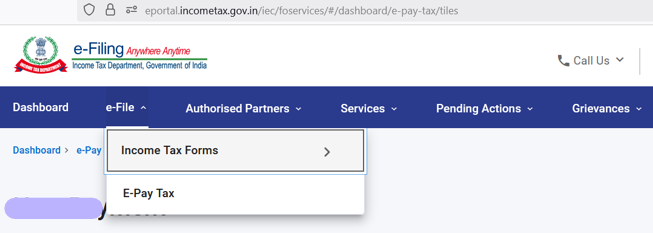
- STEP 2 – Go to header menu of “e-File“, and click on “E-Pay Tax” from drop down menu
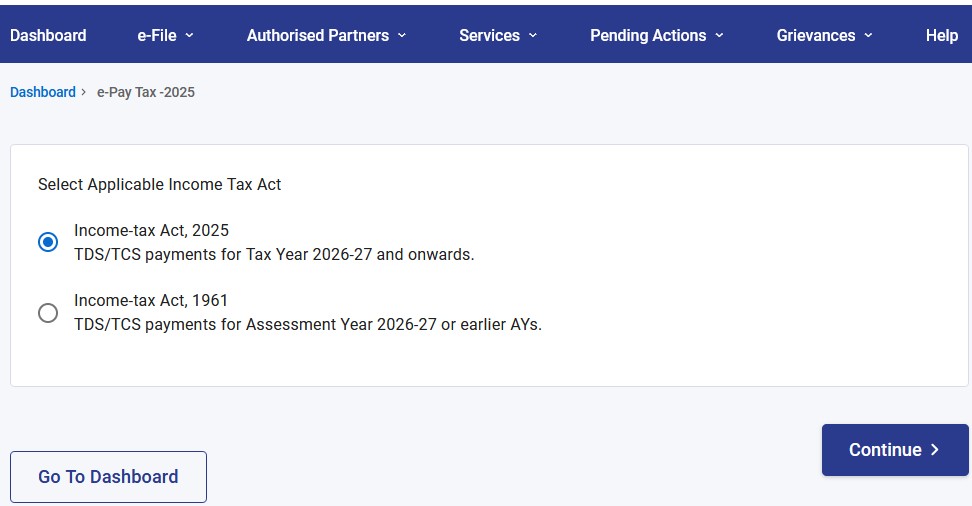
- STEP 3 – “Select Applicable Income Tax Act” as “Income-tax Act, 2025“, and click on “Continue“
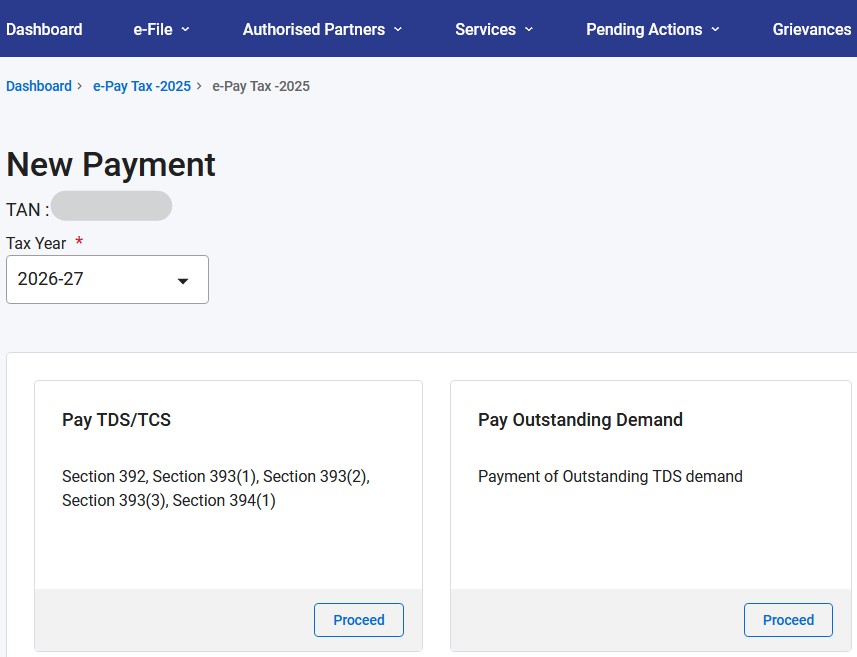
- STEP 4 – Click on “New Payment” on Right Hand Side of the screen

- STEP 5 – Select “Tax Year”, and Click on “Proceed” of section “Pay TDS/TCS“
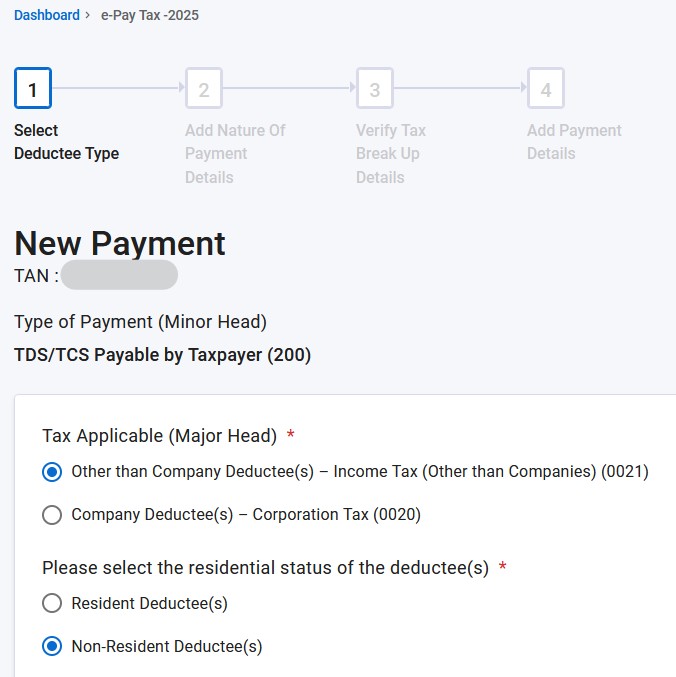
- STEP 6 – Select “Tax Applicable (Major Head)” as “Other than Company Deductee (s) – Income Tax (Other than Companies) (0021)“, Select “Please select the residential status of the deductee(s)” as “Non-Resident Deductee(s)“, and Click Continue
- STEP 7 – Select “Description” having “393(2) [Table: Sl. No. 17] – 1057“, and Enter tax amount in “Tax” field, and Click “Add“
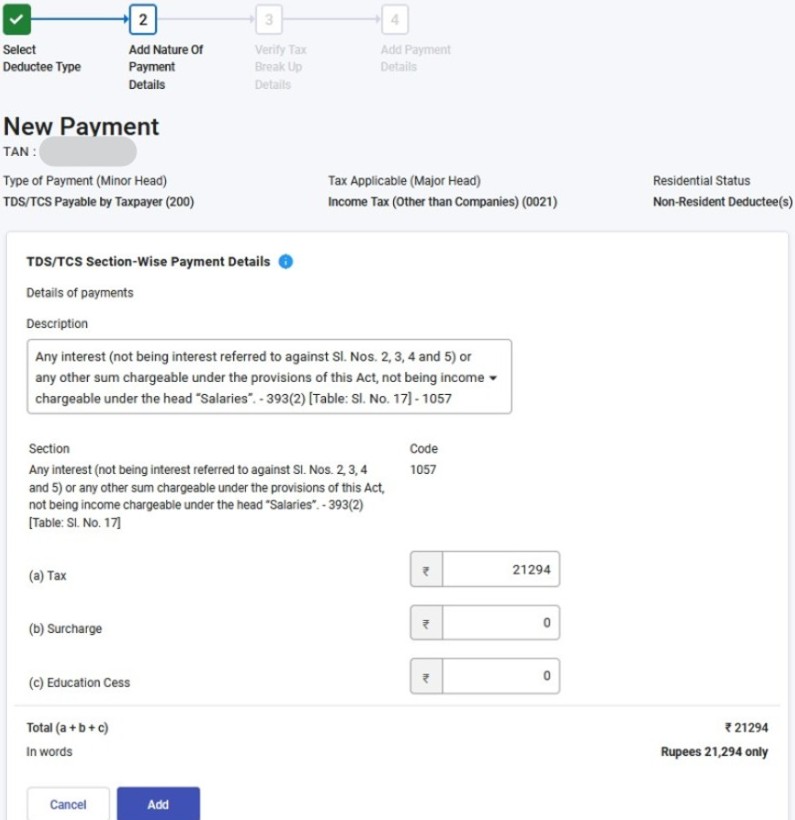
- STEP 8 – Review “Description” and Click “Continue“
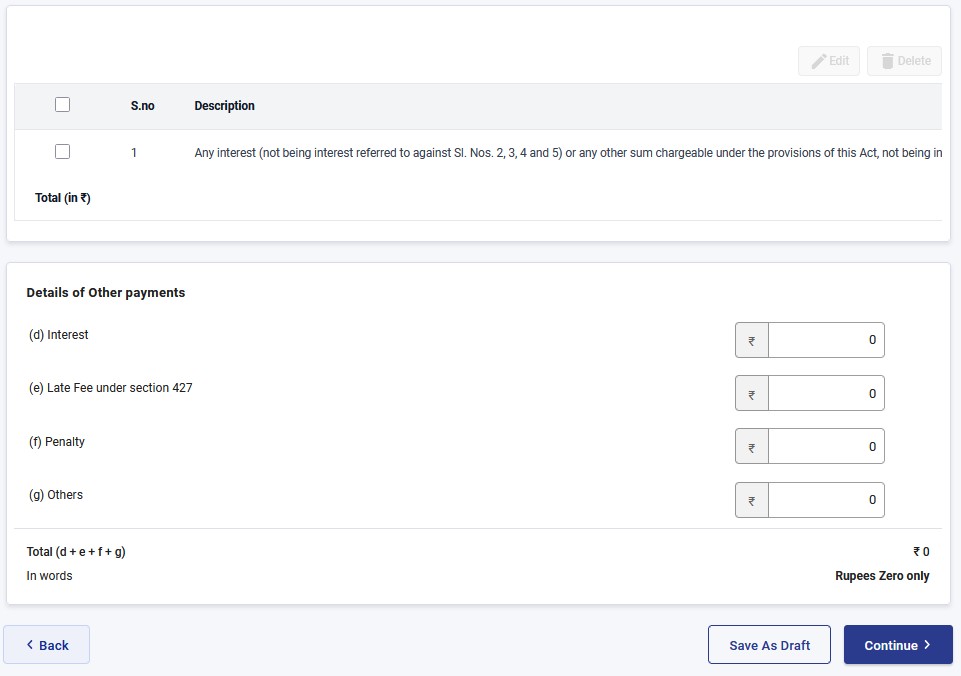
- STEP 9 – Review all the information, and Click “Continue“
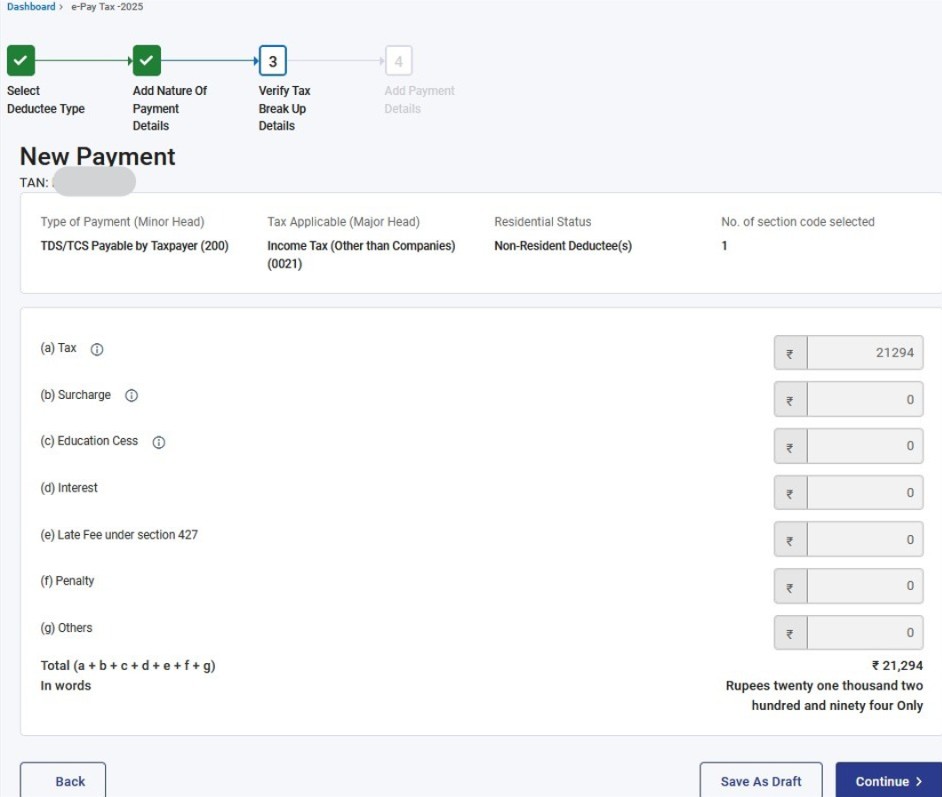
- STEP 10 – Select Bank. In case canNOT find bank, then select “Other Bank“. Click Continue
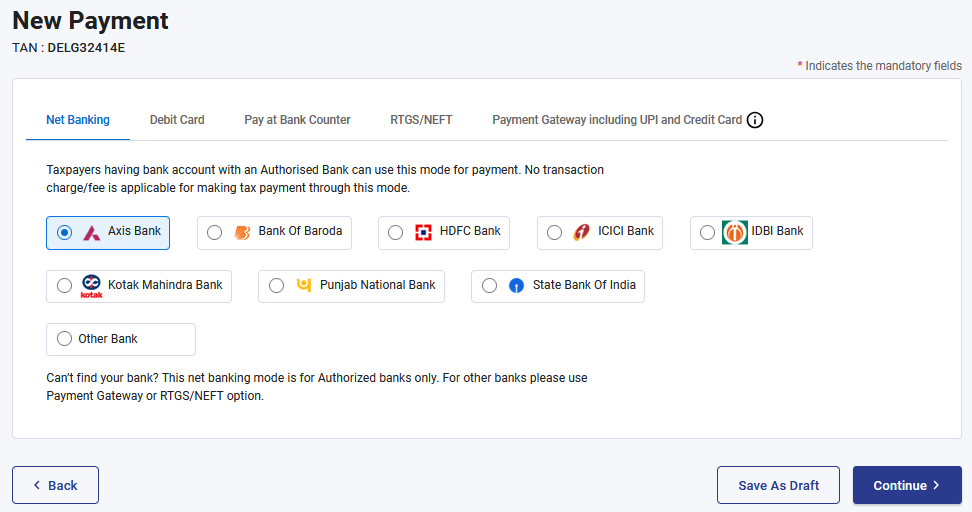
- STEP 11 – Follow rest of the screens till payment is completed successfully
- STEP 12 – On successful payment, download tax payment challan
- STEP 13 – 7 days after the TDS payment, the TDS data in reflected in tenant’s “AIS” and “Form 26AS” statements